De-Esser
Overview
The De-Esser reduces sibilance, the harsh "s" and "sh" sounds in speech and vocals. It splits the signal at 2.5 kHz into a low band and a high band and compares the two. When the high band becomes stronger than the low band, as it does on a sibilant sound, the De-Esser turns down only the high band and leaves the body of the voice untouched.
There are no threshold or timing settings to adjust. Choose how hard it works with Response. Very quiet signals are left alone.
Note
The De-Esser looks at all of its signals and channels together and applies the same reduction to every one of them, so stereo and multi-channel sources stay balanced. To de-ess independent mics separately, use a separate De-Esser for each one.
Properties
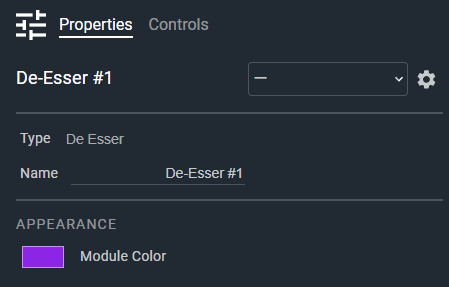
- Name: Type here to change the module name
- Appearance: Click on the colored box to change the module color
Controls
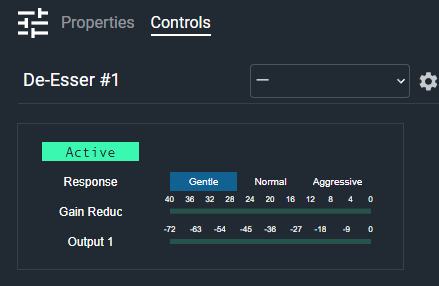
- Active (Button, toggle): Enables or bypasses the de-esser. When bypassed, the input passes through unchanged.
- Response (Radio Button): Sets how strongly sibilance is reduced: Gentle (1.3:1), Normal (2.5:1) or Aggressive (7:1). Default: Gentle.
- Gain Reduction (Meter): Displays the amount of gain reduction being applied to the high band.
- Output Meter (Meter): Displays the output signal level. There is one meter per output channel, labeled Output 1, Output 2, and so on (Output 1-1, Output 1-2 for multi-channel signals).
I/O
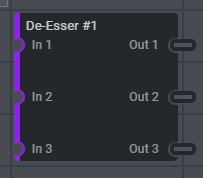
- In (Input, Audio): 1–64 signals, 1–64 channels
- Out (Output, Audio): 1–64 signals, 1–64 channels
The De-Esser is limited to 64 channels in total (signals multiplied by channels). If a configuration exceeds this, the module reduces the channel width and logs an error.