Audio Generator
Overview
The Audio Generator plays a built-in speech or music clip out of each of its output signals. Every signal has its own clip selection, level, mute, restart, and loop controls, so a single module can feed several independent program sources into your design.
A master start delay staggers the signals against each other: signal 1 starts immediately, signal 2 starts one delay later, signal 3 two delays later, and so on. A signal stays silent until its turn comes around. This gives you an easy multi-talker source for testing an automixer (a mixer that automatically opens and closes channels based on signal activity) or any other level-dependent processing.
Playback starts as soon as the module is running. By default, each signal loops its clip forever. Turn off Loop on a signal to play its clip once and then stop. There is no stop or pause control — mute a signal to silence it.
When you select a different clip for a signal that is playing, the new clip starts from its beginning. A signal that is still waiting for its start delay, or that has finished its single pass with Loop turned off, stays silent and plays the new clip the next time it starts.
When a signal carries more than one channel, every channel plays the same audio. Separate signals play independently of one another.
Properties
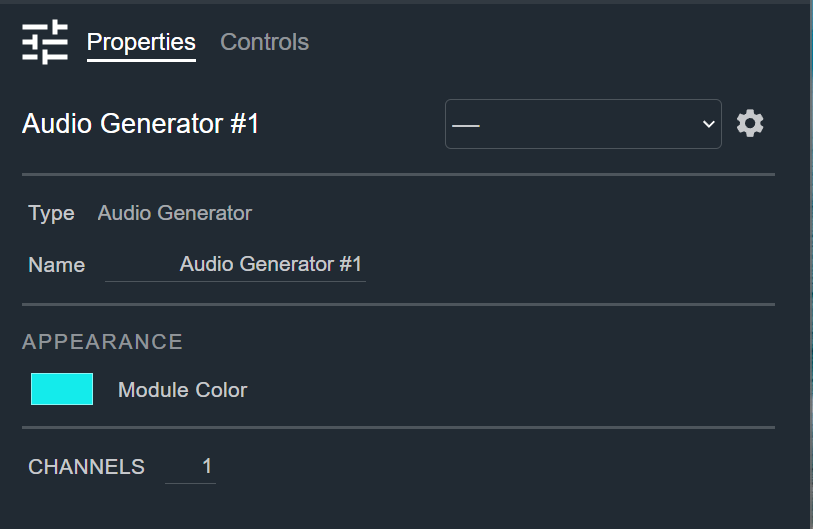
- Name: Type here to change the module name
- Appearance: Click on the colored box to change the module color
- Channels: The number of channels in each signal. Default: 1. Range: 1–64
Controls
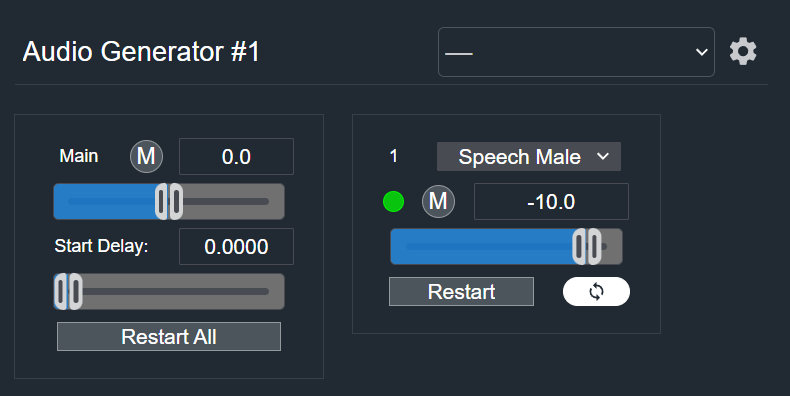
Main section:
- Mute (Button, toggle): Mutes all signals simultaneously.
- Gain Readout (Numeric): Displays the main gain value. Default: 0.0 dB. Range: −24.0 to +24.0 dB
- Gain (Fader): Adjusts the overall output gain.
- Start Delay Readout (Numeric): Displays the delay applied between the start of one signal and the start of the next. Default: 0.0000 s. Range: 0 to 20 s
- Start Delay (Fader): Sets the delay between signal starts. Changing this value restarts the staggered sequence from signal 1 once you stop adjusting the fader.
- Restart All (Button, momentary): Restarts every signal and runs the staggered start sequence again from the beginning.
Per signal:
- Audio File (Drop list): Selects the clip this signal plays. Default: Speech Male. Options: Speech Male|Speech Female|Speech French|Speech Italian|Music 1|Music 2|Music 3|Music 4
- Signal (LED): Shows the audio level present on this signal's output.
- Mute (Button, toggle): Mutes this signal.
- Level Readout (Numeric): Displays the current level value. Default: −10.0 dB. Range: −100.0 to 0.0 dB
- Level (Fader): Adjusts this signal's output level.
- Restart (Button, momentary): Plays this signal's clip from the beginning right away, ignoring the start delay.
- Loop (Button, toggle): Repeats this signal's clip continuously. Shown as the circular-arrows icon next to Restart. Default: On. When off, the clip plays once and the signal goes silent until you click Restart or Restart All, or turn Loop back on. Turning Loop back on after the clip has stopped plays it again from the beginning right away. Turning Loop off while the clip is playing lets the current pass finish before the signal stops.
I/O
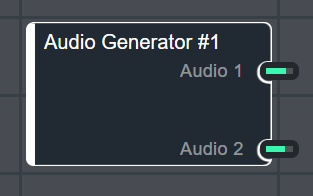
- Audio (Output, Audio): 1–64 signals, 1–64 channels