Input Selector
Overview
The Input Selector routes one of its audio inputs to each of its outputs. Each output has its own Select droplist plus Previous and Next buttons, so one module can feed several destinations from the same set of sources, such as choosing which program source plays in each zone.
When you change the selection, the output fades out, switches to the new input and fades back in, so the change is free of clicks. Each input and output also has its own gain and mute, and you can turn off the input gain and mute controls with the Input Controls property when you only need switching.
Properties
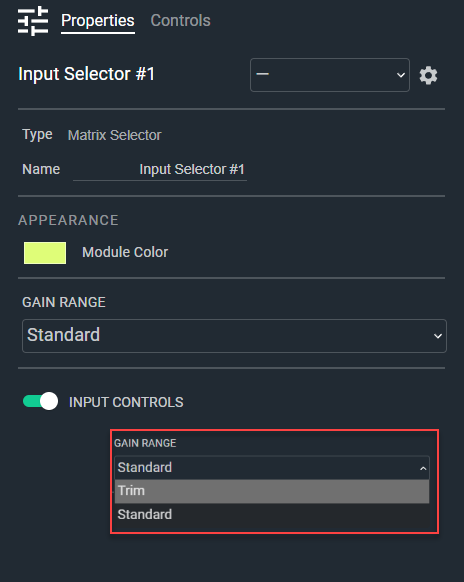
- Name: Type here to change the module name
- Appearance: Click on the colored box to change the module color
- Gain Range: Configure the gain range to "Trim" (-24 to +24) or "Standard" (-72 to +12). Default: Standard. Options: Trim|Standard
- Input Controls: Determines if there are input volume and mute controls. Default: Enable. Options: Disable|Enable
Controls
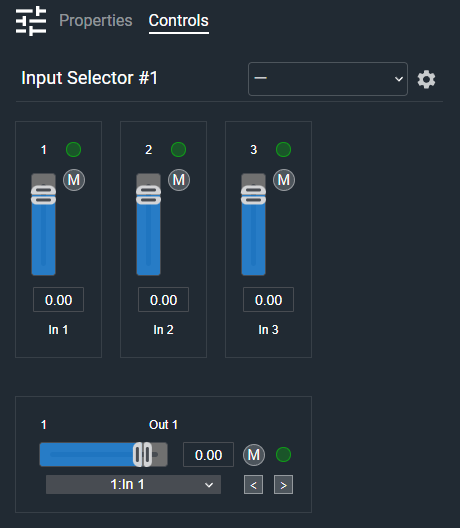
Per input:
- Meter (LED, read-only): Audio level indicator for this input.
- Scribble (Text): Names this input. The name appears in each output's Select list. Default: In 1, In 2, and so on.
Per input (shown when Input Controls is enabled):
- Gain (Fader): Adjusts this input's gain. In the Standard range, the minimum setting turns the input off.
- Mute (Button, toggle): Mutes this input.
- Gain Readout (Numeric): Displays the current input gain value.
Per output:
- Scribble (Text): Names this output. Default: Out 1, Out 2, and so on.
- Gain (Fader): Adjusts this output's gain. In the Standard range, the minimum setting turns the output off.
- Gain Readout (Numeric): Displays the current output gain value.
- Mute (Button, toggle): Mutes this output.
- Meter (LED, read-only): Audio level indicator for this output.
- Select (Drop List): Selects which input is routed to this output. Entries show the input number and name.
- Previous (Button, momentary): Selects the previous input. Stops at the first input, and repeats while held.
- Next (Button, momentary): Selects the next input. Stops at the last input, and repeats while held.
I/O
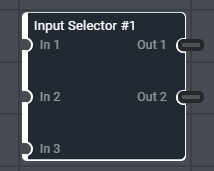
- In (Input, Audio): 1–64 signals, 1–64 channels
- Out (Output, Audio): 1–64 signals, 1–64 channels
The outputs always use the same channel width as the inputs. If the total number of input or output channels (signals × channels) would exceed 256, Cognio reduces the channel width and logs an error.