CPG Properties
The following information is shown in the Properties tab of the Modifier Panel when a Control Panel Group (CPG) is selected in Site View. A Control Panel Group is a set of Control Panel pages that are managed together.
A Managed Device is a special kind of Control Panel Group, so the two share several of the same sections. The Scripting, Script Status, Script Statistics, and action buttons described on this page also appear for Managed Devices. See Managed Device Properties for the sections that are specific to managed hardware.
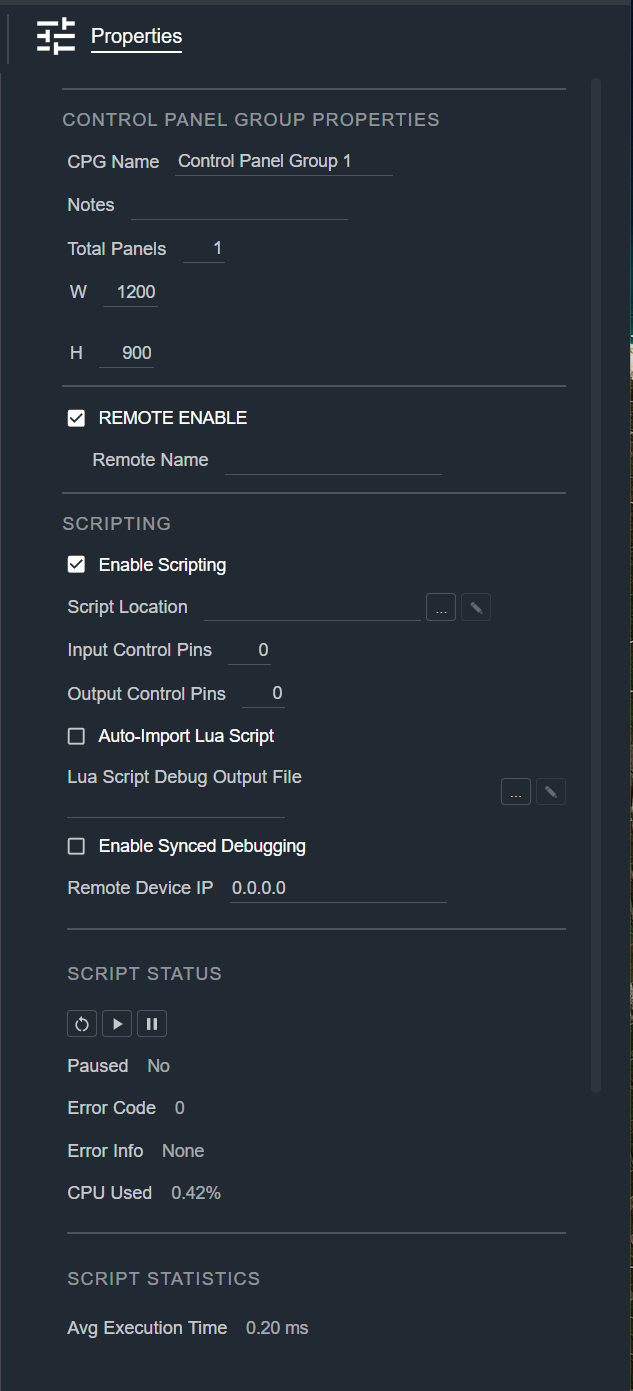
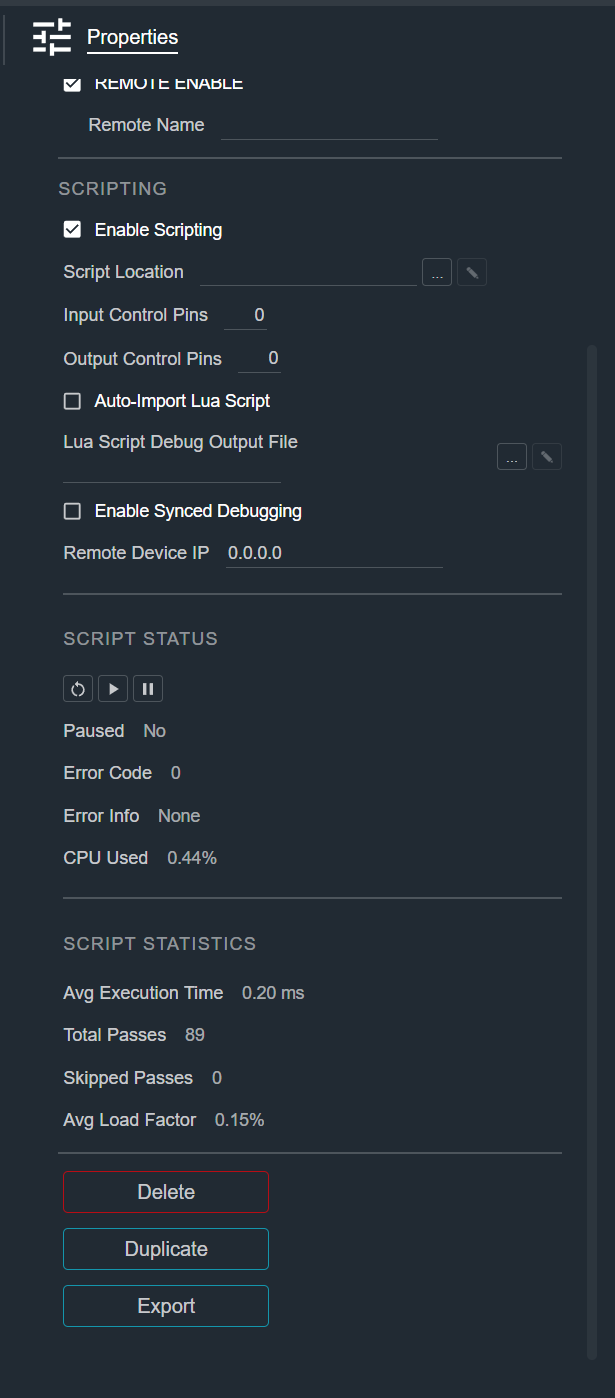
Control Panel Group Properties
| Field | Description |
|---|---|
| CPG Name | The name of the Control Panel Group. |
| Notes | Free-form text you can associate with the Control Panel Group (up to 500 characters). |
| Total Panels | The number of Control Panels in the group. |
| W | The width of the panel, in pixels. |
| H | The height of the panel, in pixels. |
Remote Settings
Settings that control access to this Control Panel Group from the remote control port (a network port other systems use to read and operate the panel).
| Field | Description |
|---|---|
| Remote Enable | Allows access to this Control Panel Group from the remote control port. |
| Remote Name | The name the remote control port uses to identify this Control Panel Group. |
Scripting
Cognio can run a Lua script (a lightweight scripting language) against the Control Panel Group to add custom control logic.
| Field | Description |
|---|---|
| Enable Scripting | Turn scripting on for this Control Panel Group. |
| Script Location | The path to the Lua source script (.lua) on your computer. Use the browse button to select a file, or the edit button to open it. |
| Input Control Pins | The number of input control pins. Each pin is available as a destination for a control output module. A name field is shown for each pin. |
| Output Control Pins | The number of output control pins. Each pin is available as a source for a control input module. A name field is shown for each pin. |
| Auto-Import Lua Script | Automatically import the Lua script. |
| Lua Script Debug Output File | The path where Lua debug output is written. Use the browse button to select a file, or the edit button to open it. |
| Enable Synced Debugging | Turn on synced debugging. |
| Remote Device IP | The IP address of the remote device used for debugging. |
Script Status
Read-only status of the running script, with controls to manage it.
- Restart — Restarts the script.
- Resume — Resumes a paused script.
- Pause — Pauses the script.
| Field | Description |
|---|---|
| Paused | Whether the script is currently paused. |
| Error Code | The current script error code (0 indicates no error). |
| Error Info | A description of the current error code. |
| CPU Used | The percentage of CPU the script is using. |
Script Statistics
Read-only performance statistics for the running script.
| Field | Description |
|---|---|
| Avg Execution Time | The average time per script pass, in milliseconds. |
| Total Passes | The total number of script passes run. |
| Skipped Passes | The number of script passes that were skipped. |
| Avg Load Factor | The average processing load of the script. |
Actions
- Delete — Removes the Control Panel Group from the Site.
- Duplicate — Creates a copy of the Control Panel Group.
- Export — Saves the Control Panel Group to a file so it can be reused in another Site.