Control Input
Overview
Properties
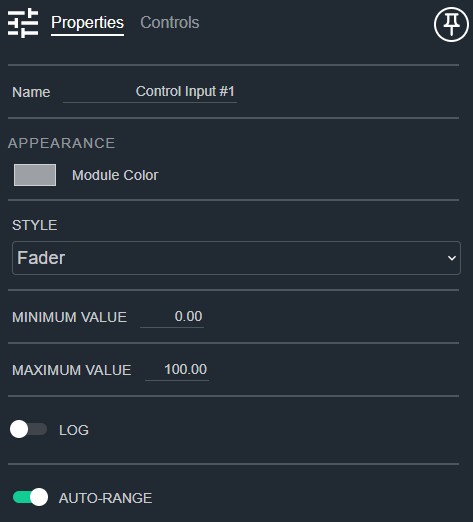
- Name: Type here to change the module name
- Appearance: Click on the colored box to change the module color
- Style: Controls the presentation of the manual controls. Default: Fader. Options: Fader|Latched Button|Momentary Button
- Minimum Value: The minimum control signal value expected. Default: 0. Range: -1000000000–1000000000
- Maximum Value: The maximum control signal value expected. Default: 100.. Range: -1000000000–1000000000
- Log: Determines if the fader control adjustment should be logarithmic. Default: Linear
- Auto-Range: Allows minimum and maximum control range to float with input signal level. Default: Enable
- Selectable Sources: The number of separate control source signals which can be selected from. Default: 1. Range: 1–64
Controls
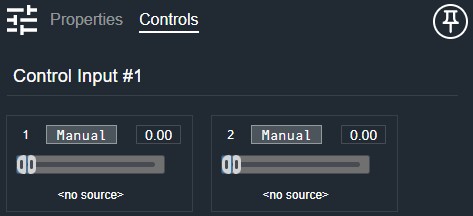
Per channel:
- Manual (Button, toggle): Enables manual control of this channel's position.
- Position (Numeric): Displays the current position value.
- Position (Fader or Button): Adjusts the manual control position. Shown as a Fader when Style is set to Fader, as a latched Button when Style is Latched Button, or as a momentary Button when Style is Momentary Button.
- Source (Drop List): Selects the control source for this channel. Shown when multiple selectable sources are configured.
I/O
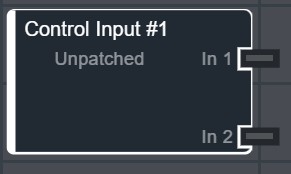
- Source (Input, Control): 1–64 signals, 1 channel
- In (Output, Control): 1–64 signals, 1 channel