Ducker
Overview
Properties
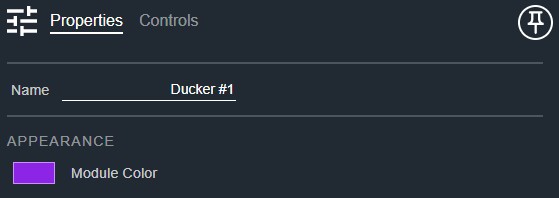
- Name: Type here to change the module name
- Appearance: Click on the colored box to change the module color
Controls
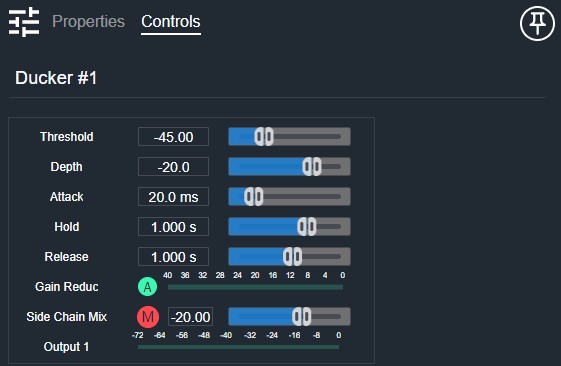
- Threshold (Numeric): Displays the ducker threshold level.
- Threshold (Fader): Sets the ducker threshold level.
- Depth (Numeric): Displays the ducker depth (attenuation when ducked).
- Depth (Fader): Sets the ducker depth (attenuation when ducked).
- Attack (Numeric): Displays the ducker attack time.
- Attack (Fader): Sets the ducker attack time.
- Hold (Numeric): Displays the ducker hold time.
- Hold (Fader): Sets the ducker hold time.
- Release (Numeric): Displays the ducker release time.
- Release (Fader): Sets the ducker release time.
- Active (Button, toggle): Enables or bypasses the ducker.
- Gain Reduction (Meter): Displays the amount of gain reduction being applied.
- Side Chain Gain (Numeric): Displays the side chain input gain.
- Side Chain Gain (Fader): Sets the gain applied to the side chain input.
- Side Chain Mute (Button, toggle): Mutes the side chain input.
- Output Meter (Meter): Displays the post-ducker output signal level.
I/O
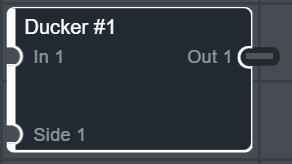
- In (Input, Audio): 1–64 signals, 1–64 channels
- Side (Input, Audio): 1 signal, 1–64 channels
- Out (Output, Audio): 1–64 signals, 1–64 channels