Oscilloscope
Overview
Properties
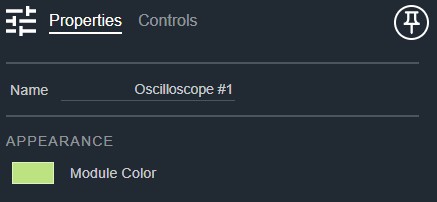
- Name: Type here to change the module name
- Appearance: Click on the colored box to change the module color
Controls
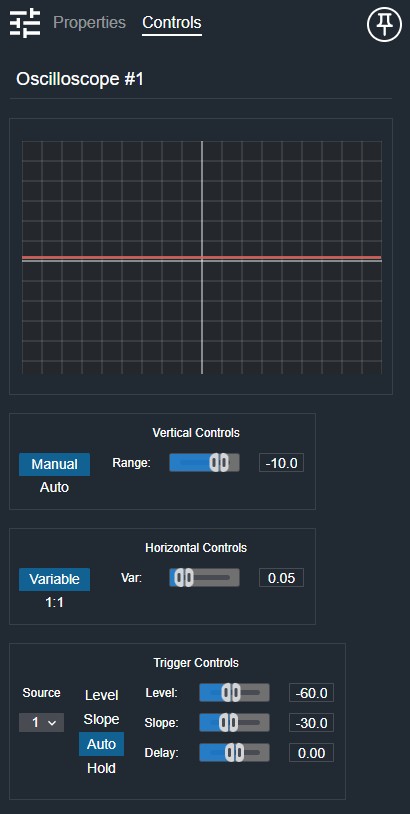
Display controls (mode-dependent):
- Manual Range (Fader): Sets the vertical display range when in Manual Range mode.
- Manual Range (Numeric): Displays the current manual range value.
- Variable Timebase (Fader): Sets the horizontal timebase when in Variable Timebase mode.
- Variable Timebase (Numeric): Displays the current timebase value.
- Source (Drop List): Selects the trigger source signal.
- Level (Fader): Sets the trigger level when in Level trigger mode.
- Level (Numeric): Displays the current trigger level value.
- Slope (Fader): Sets the trigger slope when in Slope trigger mode.
- Slope (Numeric): Displays the current trigger slope value.
- Delay (Fader): Sets the trigger delay when in Delay trigger mode.
- Delay (Numeric): Displays the current trigger delay value.
Per input:
- Peak Reset (Button, momentary): Resets the peak hold indicator for this input.
Per channel:
- Peak (Numeric, read-only): Displays the peak-hold level for this channel.
- Signal (LED): Clip indicator for this channel.
- Signal (Meter): Level meter for this channel.
I/O
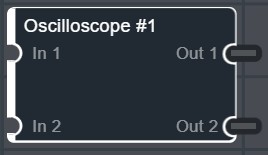
- In (Input, Audio): 1–64 signals, 1–64 channels
- Out (Output, Audio): 1–64 signals, 1–64 channels