Skip to content

Toggle

A Toggle is a switch control that turns a parameter on or off. The Design tab styles the selected Toggle on a Control Panel. The sections appear top to bottom in the Modifier Panel.
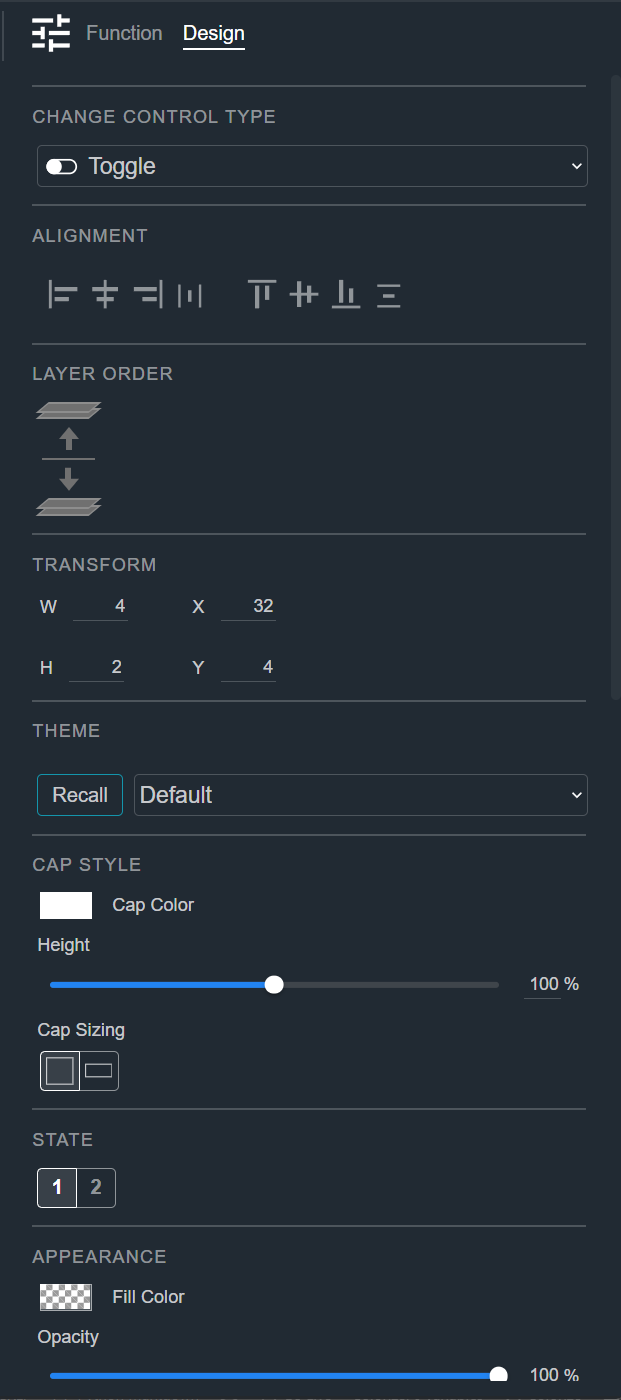
Design tab for a Toggle, showing the Change Control Type, Alignment, Layer Order, Transform, Theme, Cap Style, State, and Appearance sections

Change Control Type

See Common Controls.

Alignment

See Common Controls.

Layer Order

See Common Controls.

Transform

See Common Controls.

Theme

See Common Controls.

State

See Common Controls.

Appearance

See Common Controls.
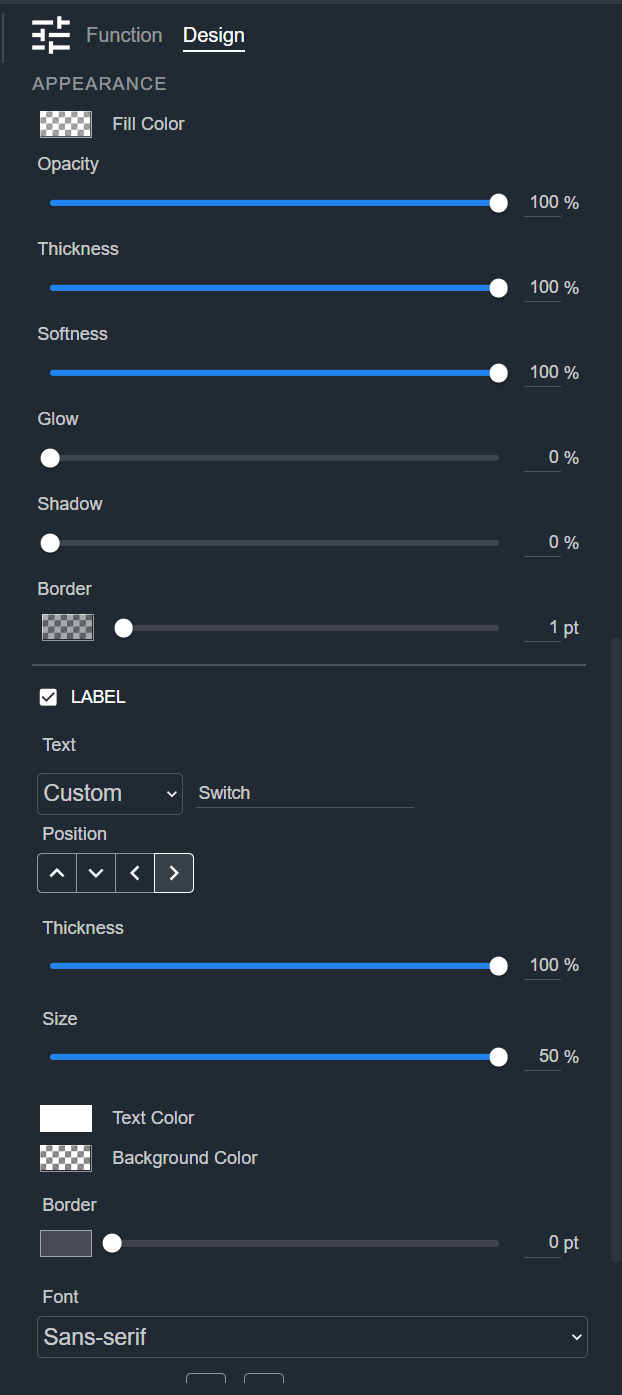
Design tab for a Toggle, showing the Appearance and Label sections

Cap Style

The Cap Style section sets the appearance of the toggle cap (the part that slides between the on and off positions). On the Toggle, this section appears below Appearance.

  • Cap Color — The color of the cap.
  • Height — How tall the cap is.
  • Cap Sizing — Choose how the cap is sized:
    • Uniform (square icon) — The cap is sized from its Height alone.
    • Dynamic (rectangle icon) — Adds a Cap Width slider so you can set the cap's width separately from its height.

Cap Style is held separately for each state, so the cap can look different when the Toggle is on and when it is off. Use the State selector to choose which state you are styling, or select 1|2 to change both states at once.

Label

See Common Controls.

Design tab for a Toggle, showing the Appearance and Label sections